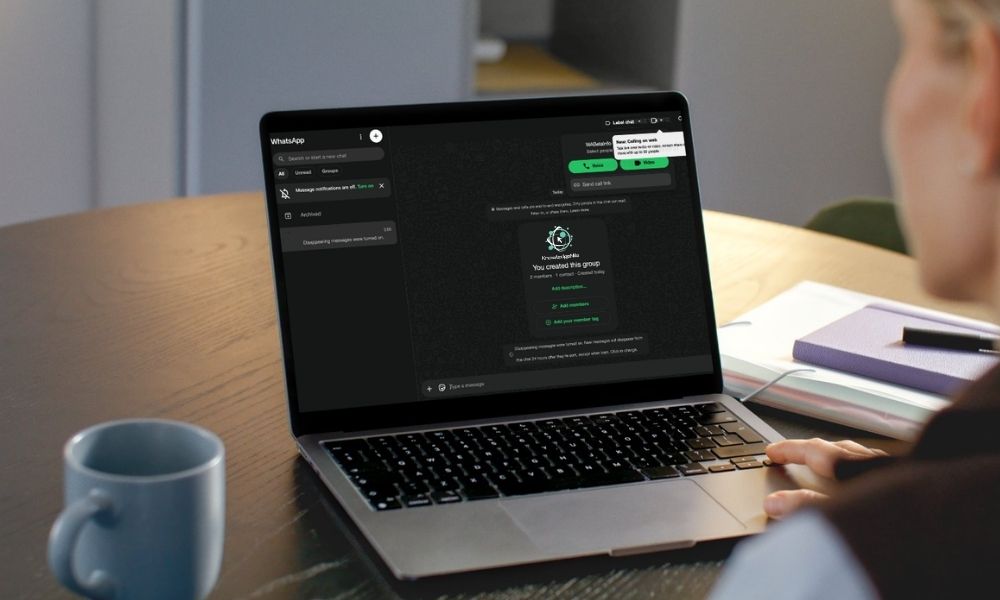
Meta’s WhatsApp has activated a long-awaited upgrade: voice and video calling directly through its web and desktop apps. You no longer need to keep your smartphone glued to your side to take a call. The feature works across Windows, Mac, and even Chromebooks via supported browsers.
It’s a natural evolution. WhatsApp already handled messaging seamlessly across devices. But until now, initiating or receiving calls forced users to grab their phone. That limitation often broke workflow momentum. Now, the call stays on the same screen as your chats – exactly where you need it.
How it works:
- Open web.whatsapp.com or launch the desktop app.
- Open any chat and click the phone or video icon at the top-right.
- Grant microphone and camera permissions the first time.
- Calls are end-to-end encrypted, just like on mobile.
No extra setup is required. The call rings both on your desktop and phone simultaneously. You can switch between devices mid-call, too.
Why this matters for productivity and privacy
For remote workers and freelancers, this update eliminates a small but persistent friction. Instead of juggling two devices, you can take a client call while referencing documents on the same screen. The audio quality is solid, and video is crisp as long as your internet connection holds up.
But convenience comes with a security asterisk. Public Wi-Fi networks – coffee shops, co-working spaces, airports – can expose your call metadata. Even though WhatsApp encrypts the conversation itself, your IP address is visible to the network. That’s where an extra layer of protection becomes smart.
A reliable VPN encrypts your entire connection, hiding your IP address and preventing snooping on unsecured networks. It’s a small step that adds substantial peace of mind, especially if you frequently take sensitive calls outside your home or office.
Cross-platform and cross-browser support
The rollout covers all major browsers: Chrome, Firefox, Edge, and Safari. WhatsApp’s native desktop apps for Windows and macOS also include the feature. One caveat: group calling is not yet supported on web, though the company may add it in future updates. You can still make one-on-one voice and video calls without any issues.
Permissions are handled per browser, so if you switch machines, you’ll need to grant access again. WhatsApp also recommends keeping the desktop app or browser tab open to receive incoming calls reliably.
What’s next for WhatsApp’s multi-device vision
This update closes a major gap in WhatsApp’s multi-device ecosystem. The company has been steadily detaching core features from the primary phone requirement. Last year, it introduced multi-device mode for messages. Now calls are joining the party. The next logical step? Expanding group calls and possibly integrating with third-party hardware like webcams and headsets.
Meta is clearly pushing WhatsApp toward a full desktop communication tool that competes with Slack, Zoom, and Teams for personal use. The move also strengthens WhatsApp Business – entrepreneurs can now take client calls from their PC without switching devices.

Getting started
To use the feature, simply update WhatsApp to the latest version on your phone. Open web.whatsapp.com on your computer and scan the QR code. Once connected, you’ll see the call icons in every chat. Click and talk. That’s it.
No additional subscription. No third-party plugins. Just a more unified calling experience that works wherever your browser does. If you run into issues, check your camera and microphone permissions in your browser settings – that’s the most common hiccup.
For now, WhatsApp’s web calling is rolling out globally. If you don’t see it yet, give it a few days. The update is server-side, so a refresh might do the trick.
Memuat komentar...